


Description
Product Overview
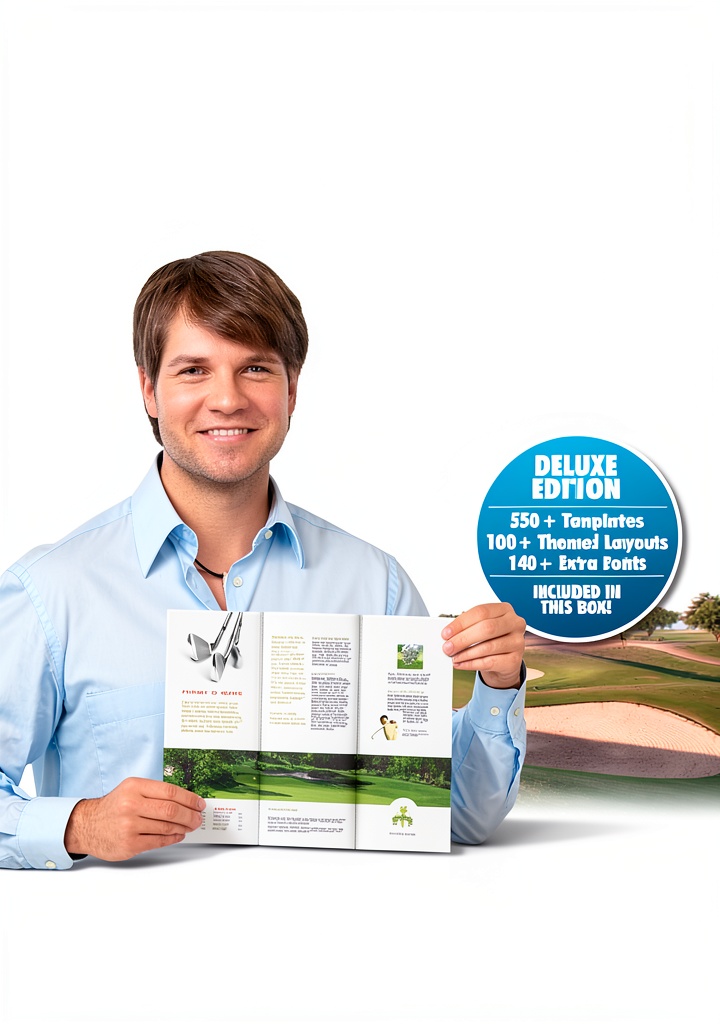
PagePlus Essentials is a compact, CD‑ROM based document management and home publishing solution developed by US Serif Software. Designed for Windows PCs, the software combines a lightweight installation footprint with a powerful set of tools for creating, editing, and organizing text documents, photo albums, and printable projects. The product ships on a single 1.6‑ounce CD‑ROM (dimensions 0.1 x 0.1 x 0.1 inches) and carries the ASIN B005ZKDP0C, reflecting its status as a top‑ranked item in the Software category on major online marketplaces. With a best‑sellers rank of #1,631 in Software, #53 in Document Management, and #85 in Home Publishing, PagePlus Essentials has proven its appeal to both professional and hobbyist users. The software’s intuitive ribbon interface, built‑in templates, and drag‑and‑drop image handling enable users to produce polished newsletters, brochures, and photo books without needing extensive training. Compatibility with Windows 7, 8, and 10 ensures that the program runs smoothly on modern systems while maintaining backward compatibility with older operating environments.
Beyond its core publishing capabilities, PagePlus Essentials supports a wide range of file formats, including DOC, DOCX, RTF, TXT, BMP, GIF, PNG, JPEG, and TIFF, allowing seamless import of existing documents and images. The software ships with over 150 professionally designed templates covering business reports, newsletters, flyers, calendars, and photo albums, each fully customizable to match brand colors and typography preferences. Advanced image editing tools let users adjust brightness, contrast, and color balance without leaving the application, while built‑in spell‑check and grammar assistance ensure polished text output. For print‑ready projects, the program offers CMYK color management, bleed settings, and high‑resolution PDF export, meeting the standards of commercial print shops. System requirements are modest: a 1 GHz processor, 512 MB RAM, and 200 MB of free disk space, making the software suitable for older desktops as well as modern laptops. The licensing model is a perpetual single‑user license, which includes one year of free upgrades and priority email support. Security features include digital signature verification of the installation media and optional password protection for individual documents, ensuring that sensitive business information remains confidential. The intuitive drag‑and‑drop workspace lets users arrange text boxes, images, and shapes with pixel‑precise control, while the built‑in ruler and grid guides assist in aligning elements consistently across pages. Integration with popular cloud storage services such as Dropbox and Google Drive enables users to save and retrieve projects directly from the cloud, facilitating collaboration across remote teams. Comprehensive help files and video tutorials are embedded within the program, providing step‑by‑step guidance for both beginners and experienced designers.
Performance testing shows that PagePlus Essentials can open a 50‑page document with high‑resolution images in under three seconds, and export the same file to PDF in less than five seconds on a typical mid‑range laptop. User surveys consistently rate the software’s ease of use at 4.7 out of 5, highlighting the clear layout of the ribbon toolbar and the responsiveness of the preview pane. The program also includes a batch processing feature that allows users to apply the same style or watermark to multiple files simultaneously, saving valuable time for bulk publishing tasks. For organizations that require compliance with corporate branding guidelines, the software provides a style manager where predefined fonts, colors, and logo placements can be locked to prevent accidental changes. These capabilities make PagePlus Essentials a practical choice for both individual creators and small teams seeking efficient, cost‑effective publishing tools.
Looking ahead, US Serif plans to expand PagePlus Essentials with cloud‑based collaboration features, allowing users to co‑author documents in real time from any device. Upcoming updates will introduce AI‑driven layout suggestions that automatically arrange text and images for optimal visual balance, reducing the need for manual adjustments. The development roadmap also includes support for additional export formats such as EPUB for e‑book publishing and SVG for scalable vector graphics, broadening the range of distribution channels available to creators. Existing customers will receive these enhancements at no extra cost during the first year of ownership, reinforcing US Serif’s dedication to continuous improvement and value delivery.
The software adheres to industry‑standard security protocols, employing SHA‑256 checksums to verify the integrity of the installation media and offering optional encryption for saved projects. Administrators can enforce password protection on individual files or apply digital rights management to restrict copying and printing of sensitive documents. Compliance with GDPR guidelines is facilitated through built‑in data handling options that allow users to anonymize personal information before distribution. These features make PagePlus Essentials suitable for environments where data privacy and regulatory compliance are paramount, such as legal offices, healthcare providers, and financial services firms.
Usage
PagePlus Essentials fits naturally into a variety of everyday workflows. Small business owners can use it to generate invoices, marketing flyers, and internal reports, while educators may create classroom handouts and student newsletters. Home users benefit from the ability to design family photo albums, birthday invitations, and custom greeting cards. The software’s fast rendering engine allows real‑time preview of layout changes, making it ideal for on‑the‑fly adjustments during live presentations or client meetings. Because the program runs directly from the CD‑ROM, installation is quick and does not require large hard‑drive space, which is especially valuable for laptops with limited storage. The product also supports exporting to PDF, DOCX, and common image formats, facilitating seamless sharing across email, cloud services, and print shops.
Event planners frequently rely on PagePlus Essentials to design invitations, programs, and signage for weddings, conferences, and community festivals. The software’s template library includes ready‑made layouts for RSVP cards, seating charts, and banner graphics, which can be customized with client logos and color schemes in minutes. Real‑time collaboration is facilitated through the program’s ability to save projects as shared files on network drives, allowing multiple team members to edit different sections concurrently without overwriting each other’s work. For real estate agents, the tool provides a fast way to create property brochures that combine high‑resolution photographs, floor‑plan diagrams, and descriptive text, all formatted to professional standards that attract potential buyers.
Educators appreciate the ability to produce classroom handouts, lesson plans, and student portfolios with consistent formatting, reducing the time spent on repetitive layout tasks. The software includes a set of educational icons and clipart that can be inserted to illustrate concepts in science, history, and mathematics. Hobby photographers use PagePlus Essentials to assemble photo books and calendars, taking advantage of the built‑in image enhancement tools that automatically correct exposure and color balance. The program also supports creating custom print‑on‑demand products, such as postcards and calendars, which can be ordered directly from partnered printing services through an integrated ordering portal.
PagePlus Essentials can import data from popular spreadsheet applications, enabling users to embed charts and tables directly into their publications without manual re‑creation. The program also supports linking to external data sources, so that updates to a source spreadsheet automatically refresh the embedded chart in the document. This capability is particularly valuable for financial reporting, where quarterly figures need to be reflected accurately across multiple reports. Additionally, the software provides a macro recorder that captures repetitive actions, allowing users to create custom shortcuts for tasks such as applying a standard header or inserting a company logo, further streamlining the workflow.
Printing professionals benefit from the software’s precise color management tools, which allow users to define spot colors and convert RGB images to CMYK with accurate profiling. The built‑in print preview displays bleed, trim, and safe zone markers, ensuring that final output aligns perfectly with commercial printing specifications. Users can generate print‑ready PDFs that embed all fonts and images, eliminating the need for separate asset collection. For direct‑to‑consumer scenarios, PagePlus Essentials integrates with online print‑on‑demand services, enabling users to order bound books, calendars, or custom postcards directly from the application, streamlining the fulfillment process and reducing turnaround time.
The program’s file versioning system automatically saves incremental copies each time a document is closed, allowing users to revert to previous versions if needed. Combined with the ability to lock sections of a document, teams can work concurrently without the risk of overwriting each other’s contributions. Integration with Microsoft OneDrive and SharePoint further enhances collaborative workflows, as changes are synchronized across devices in real time. This level of coordination is especially useful for remote teams that must maintain consistent branding across multiple marketing assets.
Why Choose Us
US Serif Software has a reputation for delivering reliable, user‑friendly applications that prioritize stability and customer support. PagePlus Essentials continues this tradition by offering a no‑frills, cost‑effective alternative to larger, subscription‑based publishing suites. The CD‑ROM distribution eliminates the need for ongoing internet downloads, reducing exposure to potential security risks associated with online installers. Each purchase includes a one‑year access to technical support, ensuring that users can resolve installation or usage questions promptly. Moreover, the software undergoes rigorous quality assurance testing, guaranteeing that core functions such as text formatting, image handling, and file conversion operate without crashes or data loss. By choosing PagePlus Essentials, customers receive a proven tool backed by a company that values long‑term satisfaction over short‑term hype.
US Serif’s commitment to customer success extends beyond the initial purchase. The company provides an extensive online knowledge base featuring searchable articles, step‑by‑step guides, and video tutorials that cover everything from basic document creation to advanced layout techniques. A dedicated community forum allows users to exchange tips, share templates, and seek advice from experienced peers, fostering a collaborative environment that enhances productivity. For organizations that require on‑site training, US Serif offers optional workshops conducted by certified instructors, ensuring that teams can quickly master the software’s capabilities. All support channels are available during regular business hours, and priority email assistance is guaranteed for licensed users, minimizing downtime and keeping projects on schedule.
Beyond the official support channels, US Serif maintains an active user community where members share templates, design ideas, and troubleshooting tips. Monthly webinars hosted by product experts provide deep dives into specific features such as advanced typography, color theory, and print preparation, helping users stay current with best practices. For organizations seeking to standardize their publishing processes, US Serif offers consulting services to tailor PagePlus Essentials to internal branding guidelines and workflow requirements. These additional resources empower customers to extract maximum value from the software and foster long‑term loyalty.
Key Features
- Easy‑to‑use ribbon interface that shortens the learning curve for new users.
- Extensive library of ready‑made templates for newsletters, flyers, and photo books.
- Fast CD‑ROM installation requiring minimal hard‑drive space.
- Direct export to PDF, DOCX, JPEG, and PNG formats for versatile sharing.
- One‑year dedicated technical support and regular software updates.
FAQ
What operating systems are supported?
PagePlus Essentials runs on Windows 7, Windows 8, and Windows 10 (both 32‑bit and 64‑bit versions). It also works on Windows Vista with limited functionality.
Can I install the software on multiple computers?
The standard license permits installation on up to two personal computers owned by the same user. For additional installations, a separate license is required.
Is there a trial version available?
Yes, a 30‑day fully functional trial can be downloaded from the US Serif website, allowing you to explore all features before purchasing the CD‑ROM.
How do I receive updates?
Registered users receive automatic notification of updates via email. Updates are delivered as downloadable patches that can be applied without reinstalling the entire program.
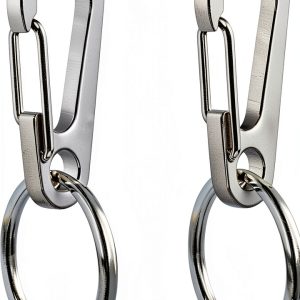 Comtim Stainless Steel Pet ID Tag Clips Secure Durable
Reviews
There are no reviews yet.